The follow-through that used to depend on someone remembering.
Inconsistent follow-up is the most common reason donors lapse — and the hardest problem to see until it's too late. Auradonors makes follow-up a system: every task owned and deadlined, and simple rules, written in your own terms, that act the moment a gift, a new contact, or a registration arrives.
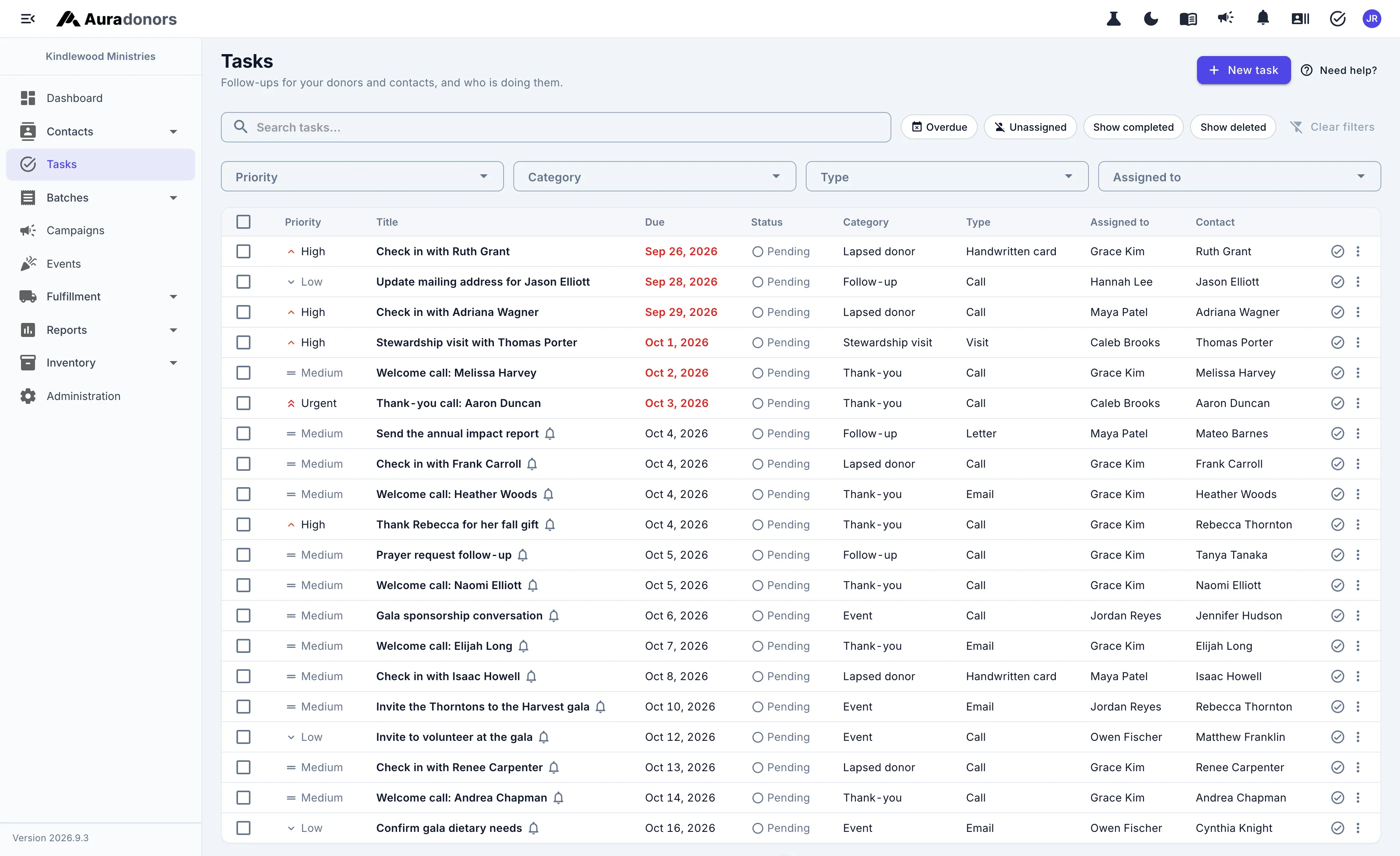
Follow-up with an owner and a deadline.
Thank-you calls, re-engagement outreach, and anniversary notes — assigned to a real person, tracked to done, and visible to the managers who need to know.
- Tasks with priorities, due dates, and an owner
- Reminders before a task is due
- Recurring tasks for regular check-ins
- Hand a whole queue to someone else in one step
- Your tasks open from any page in the app
- Every task linked to the donor, in their history
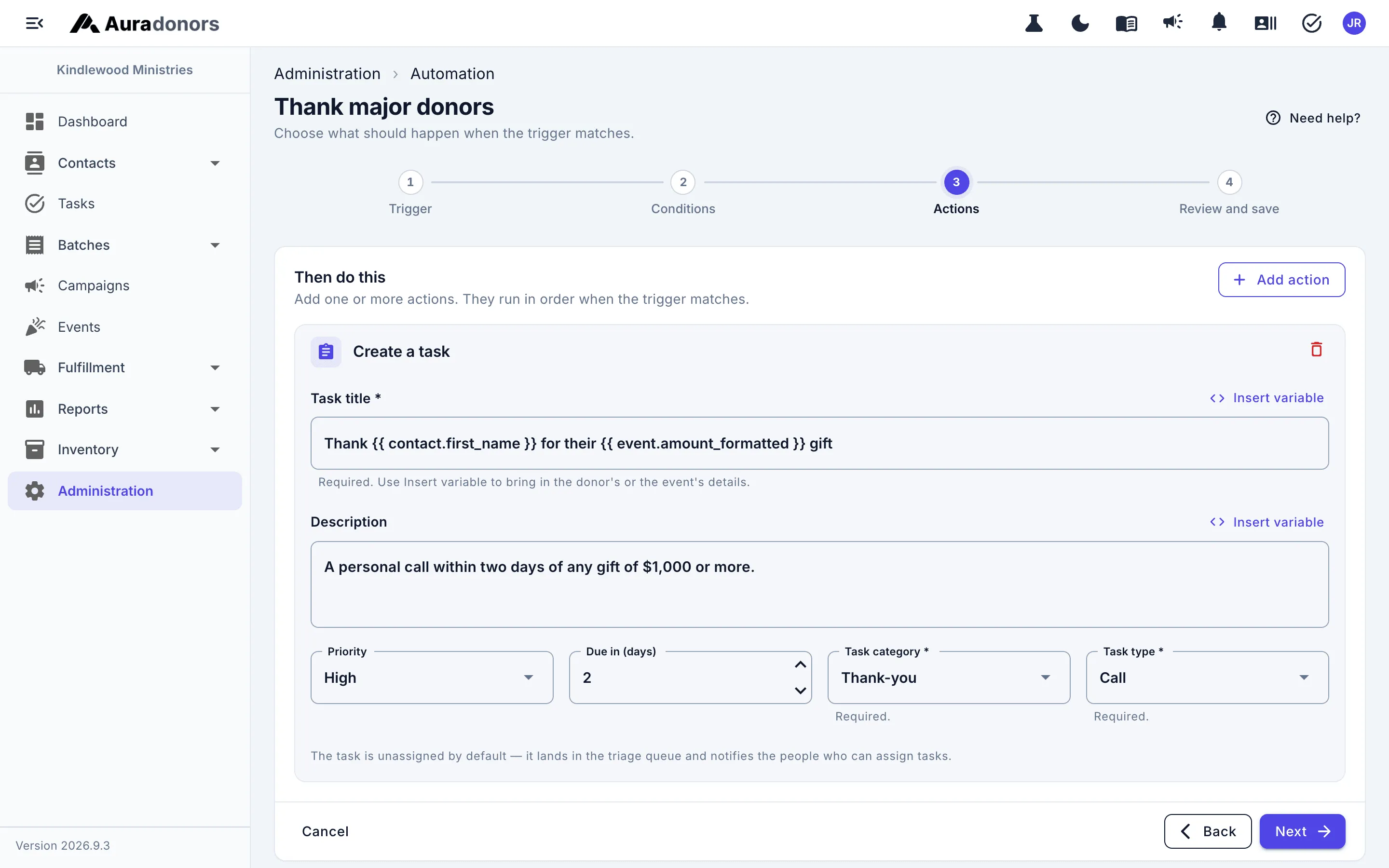
Rules in plain English.
Write "when a gift over $1,000 arrives, create a thank-you call due in two days" once, and it happens every time. Thank-you emails are included on every plan.
- Triggers for gifts, new contacts, recurring charges, registrations, and score changes
- Conditions on amount, fund, appeal, channel, and more
- Send a thank-you email in the wording you choose — on every plan
- Create tasks and tag donors — on Professional
- A test run that shows what a rule would have done last month, before you switch it on
- Starter templates and an execution log written in plain English
Tasks & automation, plan by plan
Every plan includes unlimited users and unlimited donor records. Compare every feature.
| Feature | Foundation | Professional | Enterprise Partner |
|---|---|---|---|
| Task assignment, priorities, and due dates | |||
| Reminders and recurring task schedules | |||
| Notifications and team workload visibility | |||
| Automated thank-you emails — different words for different donors | |||
| Automation rules engine | Thank-you emails | All actions | All actions |
| Advanced automation triggers (field changes, segment membership) | — | — |
Common questions
What can automations do on the Foundation plan?
Can a donor opt out of an automation?
Works hand in hand with
Receipts & statements
Receipts and thank-yous in your own words, sent by your rules — and year-end statements in one run.
Learn moreDonor insights
Lapse-risk and engagement scores on every donor, with their working shown — plus RFM, lifecycle, and retention.
Learn moreDonors & households
Profiles, households, relationships, and clean addresses — one record your whole team trusts.
Learn moreSee it with your own donors in mind.
Schedule a 30-minute conversation. We'll walk through how your team works today and show you where Auradonors would change it.