From audience to envelope, without the spreadsheet in the middle.
A mailing used to mean exporting a list, fixing it in a spreadsheet, emailing it to the mail house, and hoping the codes came back. In Auradonors a mailing is built from your donor file, split into segments that each carry their own appeal and letter, and frozen into the exact pieces that print — so the labels, the vendor file, and the letters always agree.
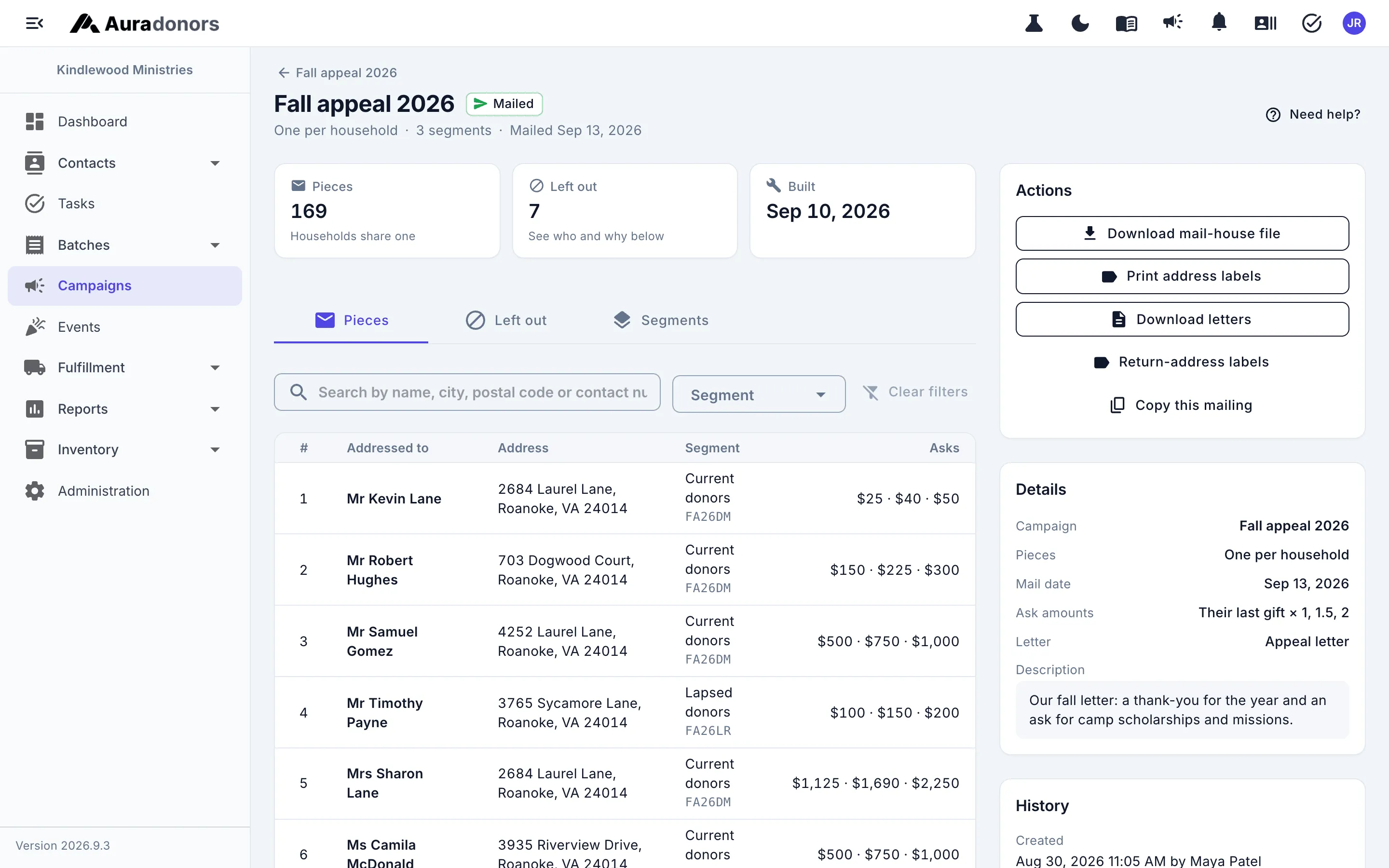
Every segment with its own appeal, letter, and cost.
Current donors, lapsed donors, and major donors hear different things. Split one mailing into segments in the order you choose — each contact lands in the first one that fits.
- Segments from any donor filter, each with its own appeal code, letter, and cost
- One piece per household, addressed the way they like
- Who was left out and why — opted out, no address, or inactive
- Every piece kept as it was mailed, so a reprint next month matches the envelopes
- Mark it mailed and the appeal’s quantity and cost fill in
Ready for the mail house — or your own printer.
Labels, vendor files, and merged letters come from the same pieces, sorted by postal code and carrying the code that brings each gift back to its appeal.
- Mailing labels on standard label stock, plus return-address labels
- Mail-house files in the exact column layout your vendor expects, saved once
- Merged letters with a window-envelope address and a reply slip
- Ask amounts from each donor’s last, largest, or average gift
- A scanline on every piece that keys the response back to its appeal
- A single letter printed straight from any donor’s record
Mail the donors most likely to lapse — before they do.
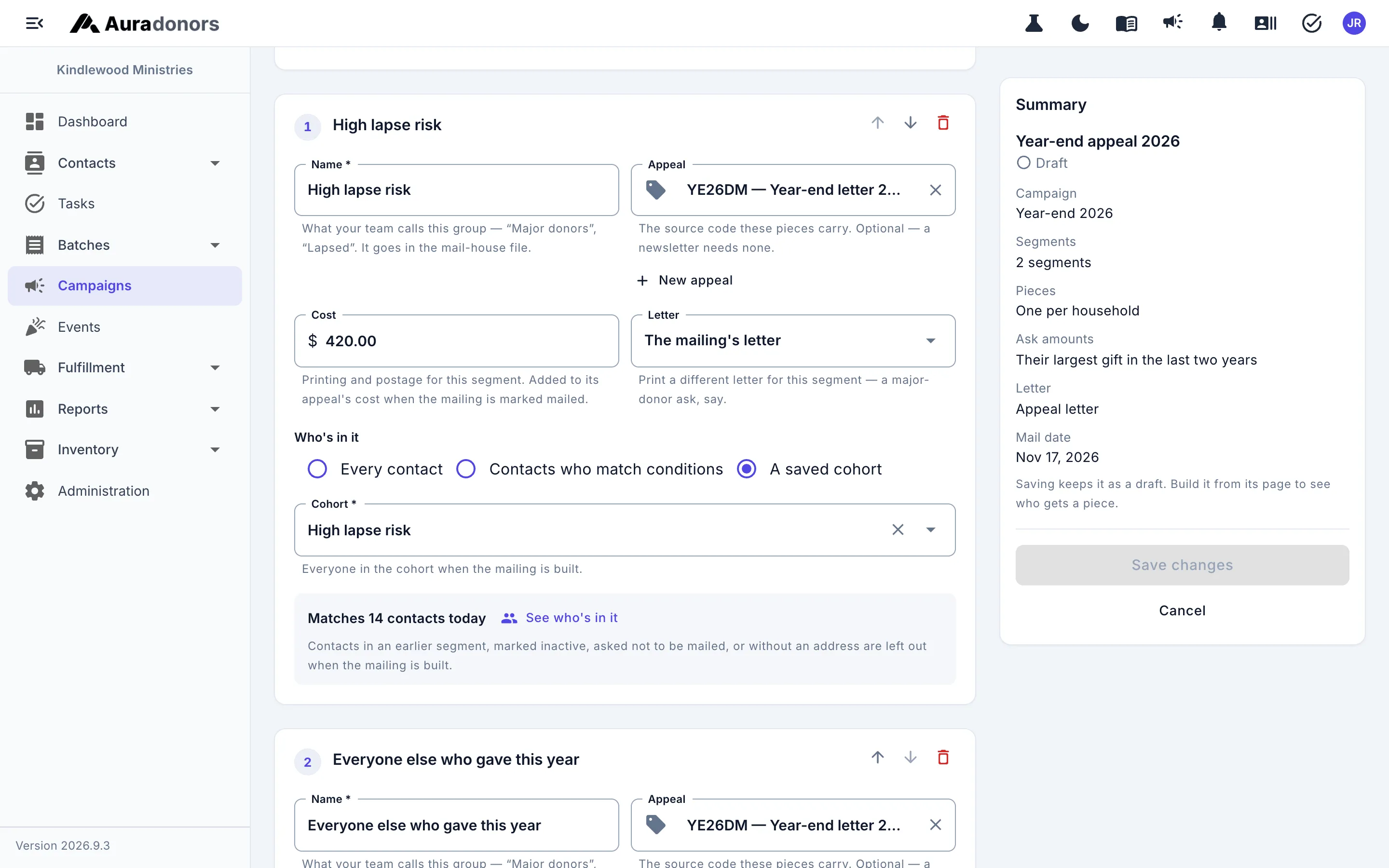
A segment can be a saved cohort, including one built on donor scores, so the year-end appeal reaches the people drifting away while there is still time.
- Segments from saved cohorts
- Lapse-risk and engagement bands as audiences
- A live preview of who is in each segment, with their address
Clean addresses before you print.
Export your file for your change-of-address provider, upload their results, review each move, and apply the approved changes in one step — with 30 days to undo.
- A submission file in the format your provider expects
- Results from TrueNCOA, Melissa, or any provider’s CSV
- Each move reviewed, with the reason when one can’t be applied automatically
- Approved changes applied in bulk, undoable for 30 days
Direct mail, plan by plan
Every plan includes unlimited users and unlimited donor records. Compare every feature.
| Feature | Foundation | Professional | Enterprise Partner |
|---|---|---|---|
| Mailings split into segments, each with its own appeal, letter, and cost | |||
| Ask amounts calculated from each donor's own giving | |||
| One piece per household, addressed the way they like | |||
| Mailing labels and mail-house files in the layout your vendor expects | |||
| Merged letters with reply slips, ready to print | |||
| Who was left out and why — opt-outs, no address, inactive | |||
| Quantities and costs filled in on the appeal when you mark it mailed | |||
| Change-of-address (NCOA) results reviewed and applied, with undo | |||
| Mail audiences from saved segments and donor scores | — |
Common questions
Is direct mail included in the Foundation plan?
Does Auradonors print and mail for us?
Works hand in hand with
Campaigns & appeals
Source codes on every gift, from the radio spot to the reply envelope, with results you can trust.
Learn moreDonors & households
Profiles, households, relationships, and clean addresses — one record your whole team trusts.
Learn moreDonor insights
Lapse-risk and engagement scores on every donor, with their working shown — plus RFM, lifecycle, and retention.
Learn moreSee it with your own donors in mind.
Schedule a 30-minute conversation. We'll walk through how your team works today and show you where Auradonors would change it.